11 / Case study
Humus / 2026
Humus — a magazine with podcasts, video and before/after in the story
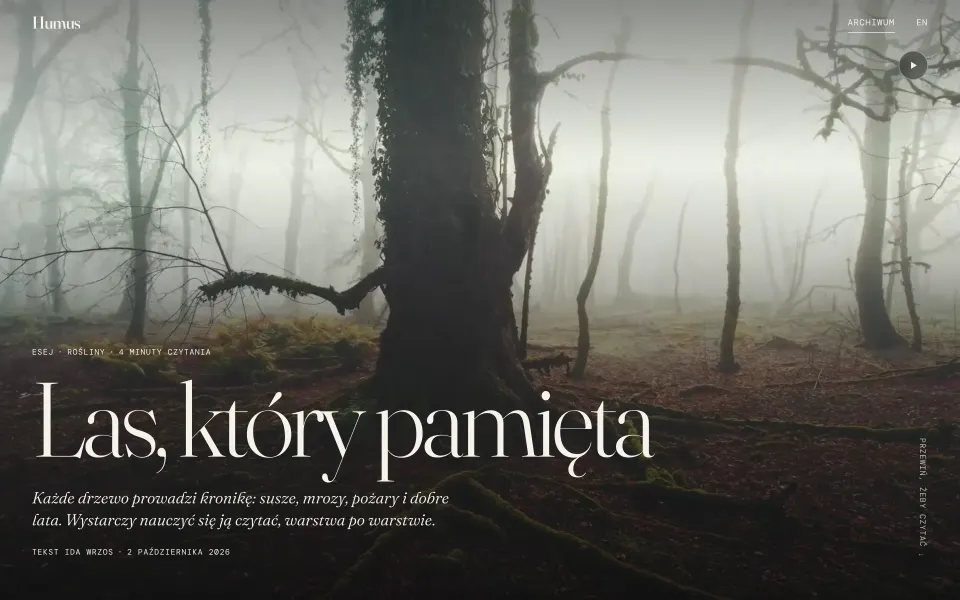
A magazine demo in Astro and Sanity, modelled on Emergence Magazine. Editors build a story from 12 blocks: a podcast with chapters, video, a before/after slider, margin notes. The site is static and loads a few KB of JavaScript.
- Role
- Design and development / my own demo
- Year
- 2026
- Scope
- Content blocks in Sanity
- Audio player
- Video
- Before
- after
- Page transitions
- Performance
- Disciplines
The idea
Online magazines are rarely both beautiful and fast. Usually you pick one: big photos, video and players at the cost of a slow page, or a light page without media. Humus is a demo showing you don’t have to choose.
It is a fictional magazine about earth, water and time, modelled on Emergence Magazine: seven formats (essay, feature, podcast, film, photo essay, poem, practice), six topics and five colour palettes the editors pick for each story. A story’s header can be a full-screen photo, a video or type alone.
What editors put in a story
In Sanity, a story is made of paragraphs, subheadings, quotes and lists, plus 12 blocks: a photo in four widths, a gallery, a pull quote, an audio player, a video clip, a before/after comparison, a sequence of photos that scrolls with the text, a poem, figures with a source, a timeline, a callout and a divider. A margin note is added like a link, to a selected phrase.
The fields keep the quality up: a photo without alt text, a video without a still frame or a recording without a duration won’t pass validation. The list of photo authors and sources under the story builds itself.
Podcast and audio
The player draws the waveform from data saved in Sanity, so the browser doesn’t have to decode the recording to show it. It skips by 15 seconds, has five speeds and a list of chapters the editors enter as a time and a title. The current chapter lights up as you listen.
When the reader scrolls on, the player turns into a small bar at the edge of the screen. Only one recording plays at a time, and the controls also work from the phone’s lock screen (Media Session).

Video, before/after and notes
A video clip shows its still frame first and downloads nothing until it is about to play. It plays only while on screen, has a pause button, and never starts by itself with reduced motion, data saving or a slow connection. On phones, a header video waits for a tap, which saves about 2 MB of data.
The before/after comparison is the browser’s native slider laid over the image, so it works with a mouse, a finger, a keyboard and a screen reader. On a wide screen, notes sit in the margin next to their sentence; on narrower ones they open in the text when you tap the number, with no JavaScript.


A light page
Every story is ready-made, static HTML. Every page loads about 3 KB of JavaScript, and a block’s script comes along only when that block is in the story: the player is 1.2 KB, video 0.7 KB.
Photos are WebP, sized for the screen, with their dominant colour as the background until they load. From the list to a story there is a smooth transition (View Transitions) with no router in the browser, and with reduced motion it switches off.

Lighthouse on desktop (measured on 2 November 2026): 100 for performance, accessibility, best practices and SEO, and 99 for performance in the mobile simulation. The magazine has an RSS feed in each language and article structured data, with the recording on podcasts.
Questions
Do the editors need a developer to add a podcast or a video?
No. A recording with chapters, a video clip or a before/after comparison is added in Sanity like any other block of text. The fields suggest the formats and make sure there are descriptions for screen readers.
Where are the recordings and videos stored?
In the demo, in Sanity, as plain files from its CDN, which is enough for short clips and episodes. For longer films a streaming service such as Mux or Cloudflare Stream is better, as it matches the quality to the connection.
Don’t media hurt the Lighthouse score?
Not if they load when they are needed: video shows its still frame first, and each block’s script goes only to the pages that have it. On desktop, Lighthouse gives 100 in every category.
Have a blog, a magazine or a knowledge base that deserves a better setting? Tell me what you publish.